Back to PortfolioWeb Development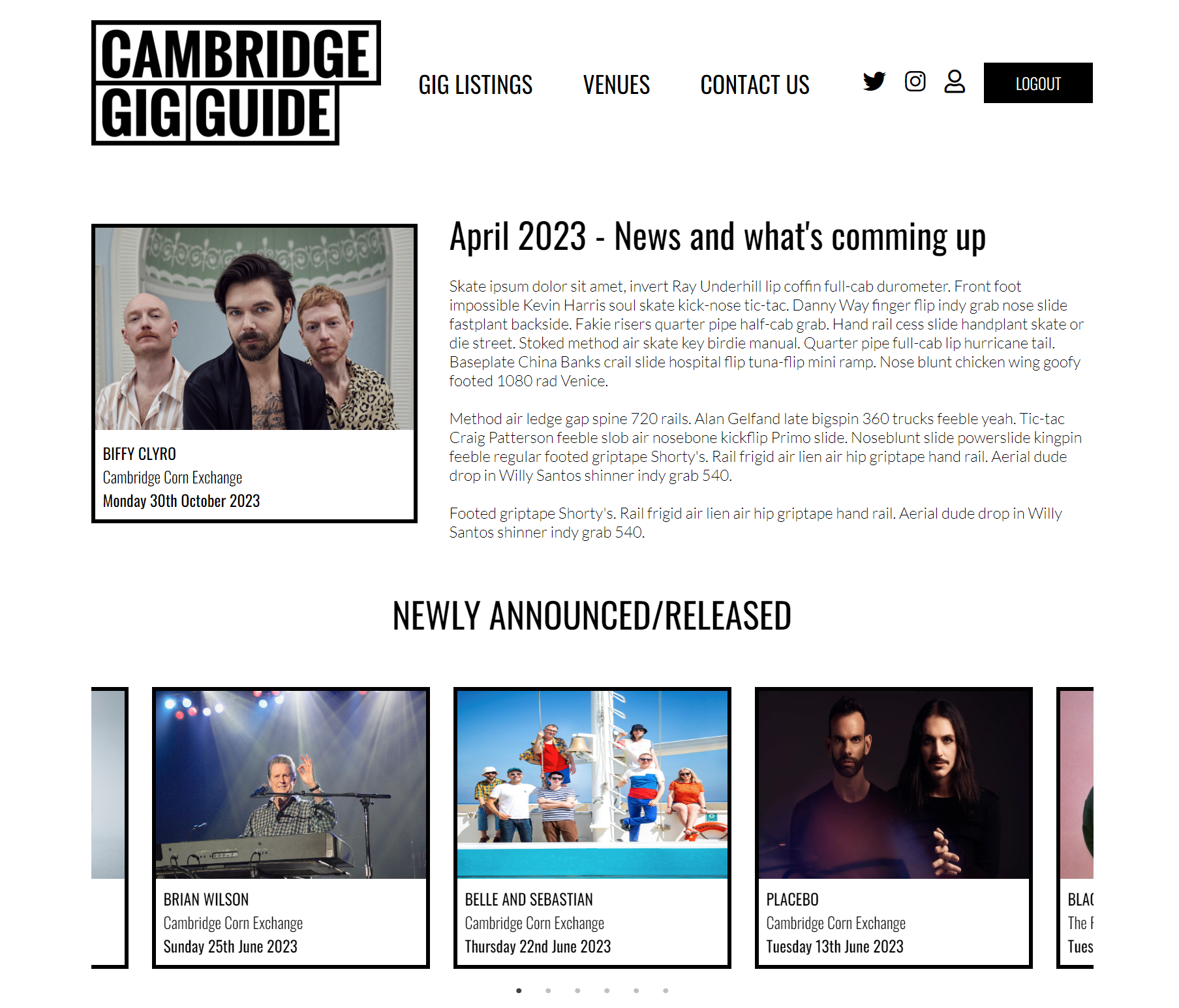
Cambridge Gig Guide
My first full-stack Javascript project. Build a website using CRUD and introduce modern structure and styling.
01
Introduction
The Cambridge Gig Guide project was my first full-stack web development project. I wanted to build a centralised website that displays all of the gigs in Cambridge (where I used to live and work), instead of having to sign up to countless mailing lists or visiting each venue's website to find out what's going on.
Using online resources such as Colt Steele's Web Development course on Udemy, as well as a couple of other YouTube videos, I managed to create a complex website from scratch.
It makes use of all of the basic HTML, CSS and JavaScript skills I learned at the start of my self studies back in 2018, as well as incorporating some new features such as image storage on Cloudinary and sending and receiving emails via Nodemailer and SendGrid.
There are three user cases for the website: General visitors, Promoters/Venue staff and Admin.
General visitors
General visitors don't need any access to the site beyond what is made publicly available. This includes looking at the index page for news, newly released/announced gigs and and what gigs are coming up over the coming weeks. They will also be able to look at all of the gigs filtered by month, and look at gigs by venue too.
Promoters/Venue staff
Promoters and venue staff will be able to input their own gigs using a form. They will also be able to edit and delete gigs where appropriate.
Admin
Administrators need to have full control of the site. Not only being able to input, edit and delete gigs, but also have control of the registration of new promoters/venue staff.
There is also a contact form so users can get in contact with the administrators. Password reset functionality will also be included so that promoters/venue staff/admin can reset their passwords via a token emailed to them.
Technologies
- Node JS and Express JS in the backend
- MongoDB database with Mongoose
- Passport JS for authentication
- MVC framework
- CRUD functions
- EJS frontend templates
- CSS Grid and Flexbox used
- Mobile responsive
- Moment JS for date handling
- jQuery Validation plug-in and flash messages for error communication
- Images stored on Cloudinary
- Nodemailer and SendGrid for email communication
- Slick for carousels (Slick Website)
02
Key Features
EJS frontend templates
Used for having templated components that can be used throughout the web app.
Full CRUD and role control
Gigs, venues, users can be created, read, updated & deleted. User roles have have differing access.
Modern web design
Modern web design utilising Flexbox and Grid and is full mobile responsive.
Image storage using Cloudinary
Users can upload their own images which are stored in Cloudinary.
03
Process
This was my first solo project after taking numerous online courses on how to develop websites with HTML, CSS, Javascript and Node JS with Express. Most of my knowledge at this point came from looking back at scrap code and notes from mini projects built during the courses.
I started by designing out the website page by page. With this information I knew the routes to use so they were set up first. Then I looked at each information point (band, gig, venue, user, etc.) and designed the schema for each table that needed to be created.
The most difficult set was working with Node JS and Express JS with MongoDB to set-up the backend of the website. This included setting up the ability to create users, verify users, create gigs, modify gigs, etc. Through the whole process there were constant considerations to be made such as how to store images, how will users access data, etc. Some of which could not be answered/investigated until some of the UI front-end was set-up.
During setting-up the back-end the front end was worked on as well. From the main home page, gig page, showing the gig details, etc. which is what users see, to setting-up the configuration and upload pages that users such as promoters and venues see, this task involved thought on how each user interacts with the site and what they may need too see.
04
Results
The overall result is a modern feeling, fast website for promoting music gigs for any specific town/city (Cambridge was just used as an example), It also comes with an easy/intuitive way of uploading gigs to the website for inclusion/promotion.
05
Insights & Learnings
I learned a lot during the process of developing this site. I learned the fundamentals of web development that needed to be put in place to successfully generate the website. I learned about the fundamentals of web design too and how to thing critically about what should and should not be included from a user specific perspective.
But there is so much still to learn; for example, I want to know more and understand more around Object Orientated Programming as well as being more creative with my designs whilst also thinking about my development from a user's perspective.