← Back to ArticlesPower Platform

Introduction To Power Apps
Power Apps is a rapid, low-code development environment that app makers can use for building custom apps for business needs. It's a suite of app development services with a scalable data platform (Microsoft Dataverse) and an ability to interact with cloud and on-premises data sources. With Power Apps, app makers can create web and mobile applications that run on all devices.
Two types of applications that makers can build with Power Apps are:
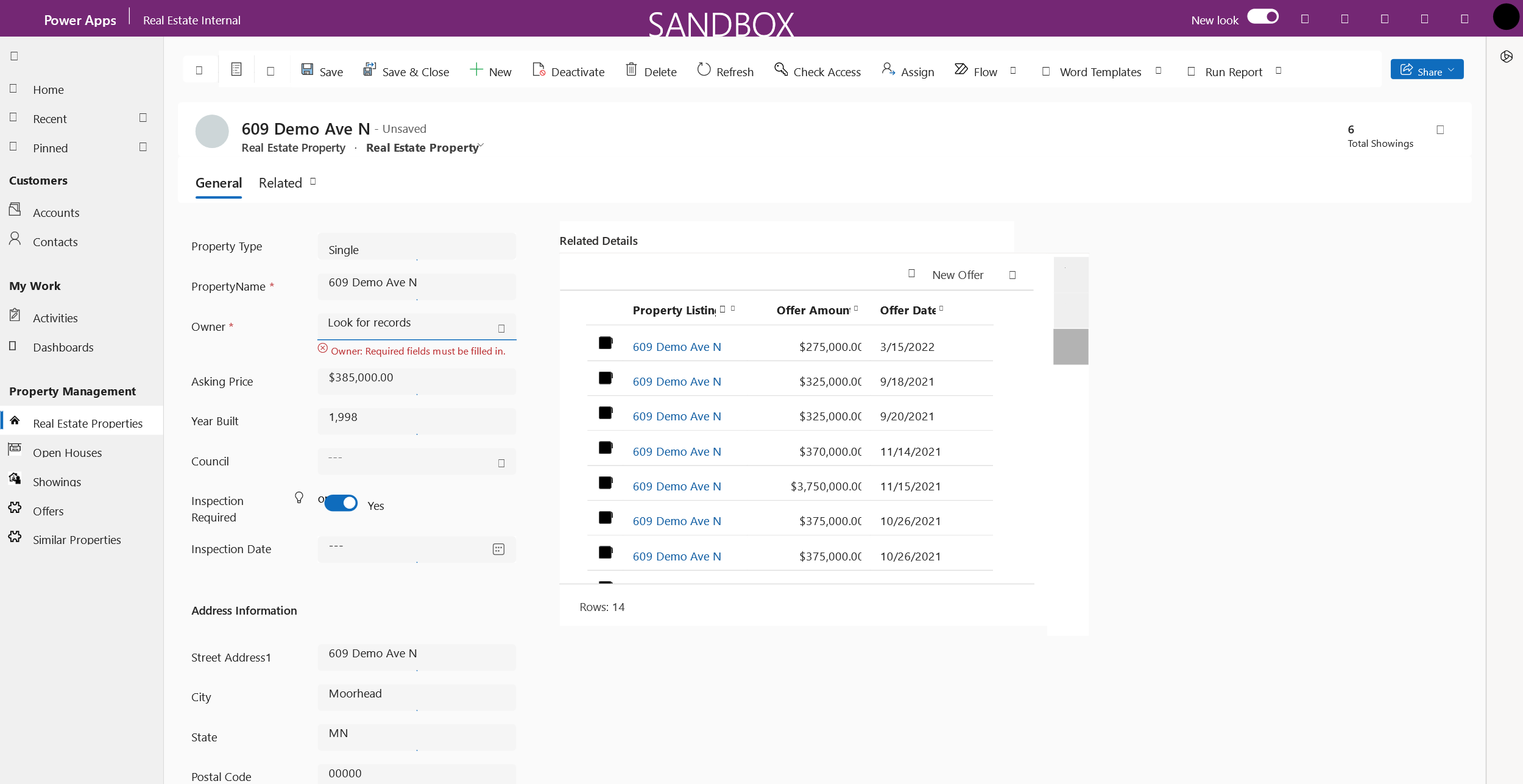
Model-driven applications - Model-driven apps are connected to Microsoft Dataverse. Makers build model-driven apps by adding different components, such as forms, views, charts, and dashboards, to tables by using an app designer tool.
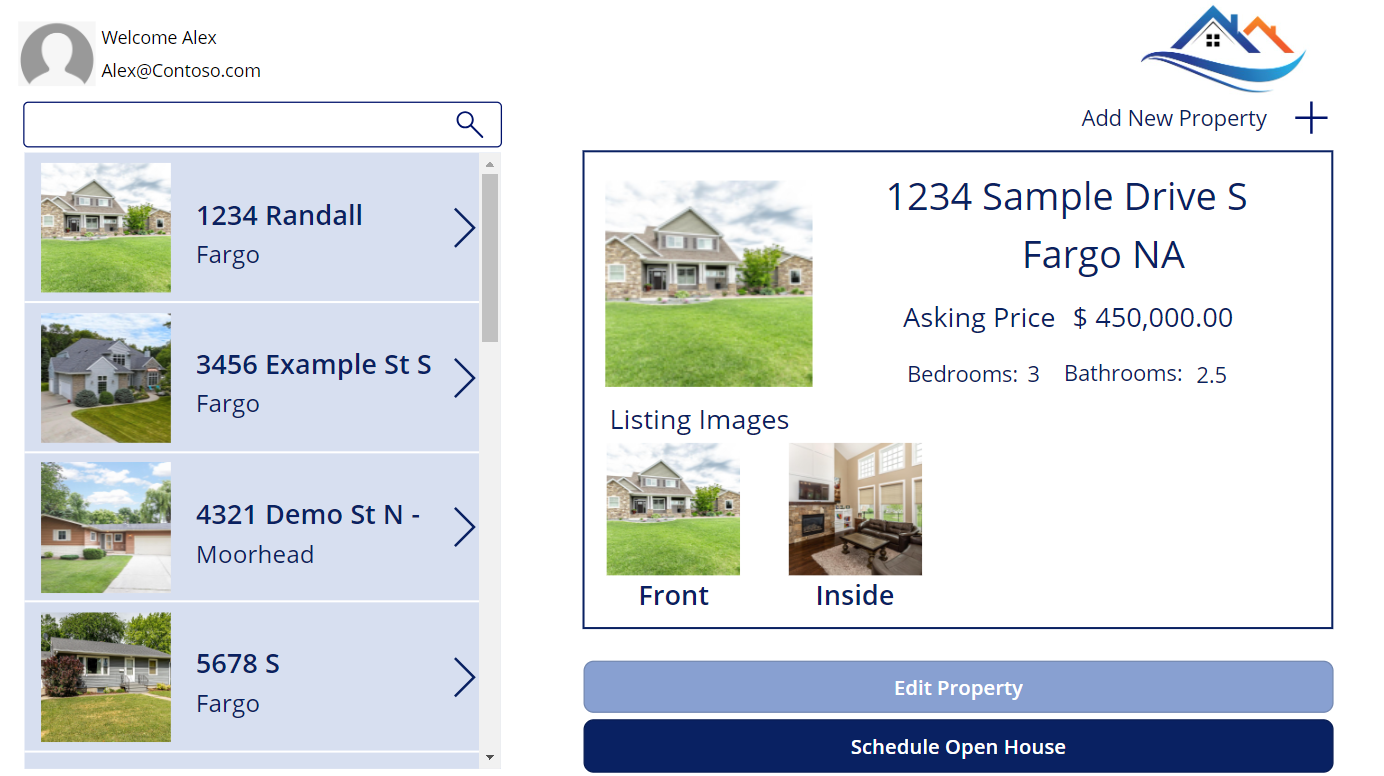
Canvas applications - Canvas apps are typically task-focused apps where makers can drag and drop different components and position them how they want to create a user interface.
Before you begin building your Power Apps solution, you'll want to map out what you need the app to do. First, what do you want to accomplish with the app? In other words, what are your business requirements or user needs? Second, since model-driven apps start with data, you'll need to develop a data model. Third, keeping your business requirements in mind, you'll add business logic to the design. Finally, you'll determine how you want to display the output.
Important factors to consider for app design:
Business Requirements
Data Model
Business Logic
Output
The Dataverse
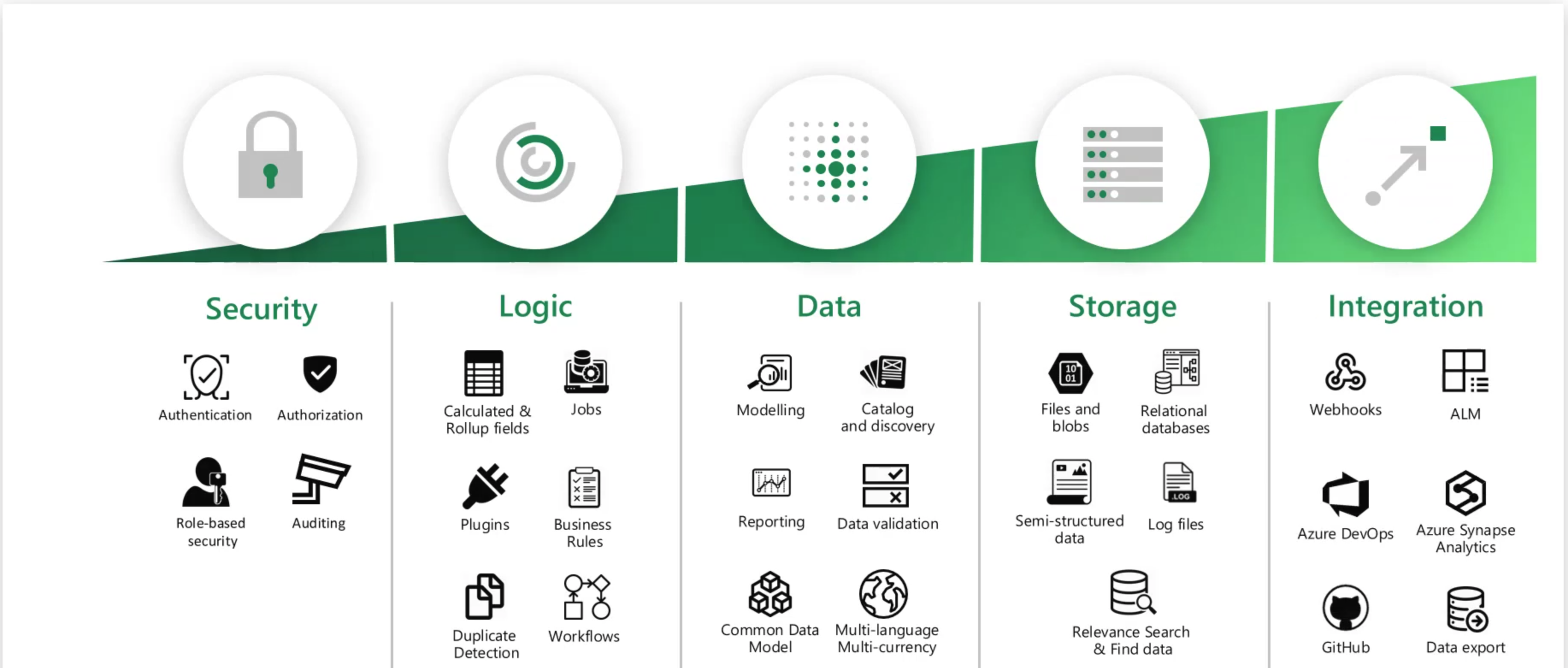
The Dataverse is Microsoft's cloud-based data platform that serves as the foundation for storing and managing data across the Microsoft Power Platform ecosystem. It's essentially a secure, scalable database service that enables organisations to store business data and build applications on top of it.
The Dataverse is a scalable data service and app platform where users can store and manage data from multiple sources. With Dataverse, users can integrate data in business applications by using a common data model to ensure ease and consistency for users. Dataverse is the common factor that allows the components of Microsoft Power Platform to work together. It's the foundation that helps users consolidate, display, and manipulate data.
Dataverse provides a standardised data model with built-in security, governance, and compliance features. It stores data in tables (similar to database tables) with rows and columns, but adds business logic, security rules, and relationships between different data entities.
The Dataverse, which until November 2020 was known as Common Data Service (CDS), is a data source that is available to the Power Platform and that allows you to store data in a structure that shares a lot of similarities to a database. The data is structured in tables (previously known as entities) that use columns (previously known as fields) to hold and structure the data very much like a database table that you expect to see in something as simple as a Microsoft Access database.
The Dataverse enables users to share data across several different applications within Microsoft 365, including Power Apps, Microsoft Power Automate, Power Virtual Agents, Power BI and Power Pages. Unlike other data sources, to use the Dataverse, we do not need to provide specific connection information, as the underlying database is automatically connected to the environment where the app exists.
Model-driven apps
The primary goal of model-driven apps is to design a data model, which involves creating tables and columns, and adding forms, views, charts, dashboards, and relationships to ensure easy data navigation and data reuse.
Model-driven apps are best suited for process-driven and data-dense business apps that let users quickly navigate between related records. Model-driven apps are the ideal option for designing business apps using data stored in Dataverse since they are closely tied and significantly rely on the data model stored in Dataverse.
Model-driven apps, however, are not the ideal option if your customer wishes to build an app on top of a database other than Microsoft Dataverse (such as Excel, SharePoint, or SQL Server). A model-driven app gives you many options and provides components to build the app by bringing data from numerous data sources into Dataverse, but it does not provide you the option to substitute Dataverse with any other data sources.
You can’t alter their layout and user interface quite as much as you can with canvas apps. Model-driven apps are a great option if you need to develop an app that is more focused on business processes and handling complicated logic than on customizing the UI and app layout.
Model-driven apps are more commonly used in back-office apps, as they are less graphical and engaging than canvas apps. Both types of app, however, can be combined to create a good end-to-end solution. Canvas apps provide a richer user experience and mobile capability, whereas model-driven apps can be used for the management of the data.
The most important thing, to start with, is the modelling of business data within Dataverse.
The second element is to create business processes, which refers to creating logic and validation rules around the tables to ensure that you are getting the correct data and correct behaviours when data is entered.
Thirdly, we build the app by selecting the components that we want to display on the page.
Unlike canvas apps, model-driven applications are always connected to Microsoft Dataverse. The system uses this connection to generate forms, views, and other components that you can include in your model-driven application. Another advantage of model-driven applications is that they automatically generate a UI that's responsive across devices.
In addition to the built-in elements, model-driven applications can also include items, such as websites and custom pages, in your app. Custom pages provide the flexibility of canvas applications directly inside your model-driven application.
Canvas apps
Canvas apps are best suited for mobile and tablet-based apps where you want to have complete control over the app’s UI and UX, flexible data storage options, and use intuitive UI controls like barcode scanners, audio, cameras, galleries, and components, among other things, as well as for component-based collaborative development. Unlike model-driven apps, canvas apps are also the best option for low-code, no-code citizen developers.
However, canvas apps don’t support model-driven, app-specific UI components, such as business process flows, dashboards, custom pages, charts, site maps, forms, command bars, editable sub grids, and so on.
Language
The language used in Power Apps is Power FX. Power FX is Microsoft's low-code formula language designed specifically for the Power Platform and is similar to Excel formulas but more powerful.
Limitations in Power Apps
When Power Apps query SharePoint, it can only process operations (like filtering, sorting, searching) on the first 2,000 records on the SharePoint server side. This is due to delegation limitations and to performance considerations.
Power Apps also has its own data row limit (typically 500-2,000 records depending on the data source) to ensure good app performance. Think of it like trying to display limited data on a mobile device with limited processing power and connectivity.
Workarounds
Better filtering using delegable functions like =, AND, OR, <>.
Don't display all of the data at once; include search boxes to filter/limit the data displayed
Use pagination
Ensure data tables are broken down and connect with relations. Avoid having huge lists of data that can easily be broken down.
Move the data to the dataverse *(if licensing allows)
As an app maker, you need to determine what type of application you need to create based on what you need it to do. The most common type of app is a canvas application because you can connect them to multiple data sources and the user has complete control over the UI.
For example, if you plan to connect your application to SharePoint, SQL server, SAP, or any data source that isn't Microsoft Dataverse, then you need to create a canvas application. The reason is because you can only build model-driven applications on top of Dataverse.
Similarly, if the application that you're building needs to include data from multiple data sources, you also need to create a canvas application because you can only associate canvas apps with multiple data sources.
However, exceptions might occur. For example, consider a scenario where you're building an application that primarily uses Dataverse data but needs to access data from other sources in specific cases. In this situation, the better choice might be to build a model-driven application that includes a custom page.
In that case, you should consider the purpose of your app. If the Dataverse-backed app is more task-specific, such as reporting a building issue, then a canvas app might be your best choice. If back-office staff plan to use the application, and you need to focus on their processes, then a model-driven app would be best.